Download Wallets
Earn Online
Download a wallet app, follow the setup guide, and start earning online.
Wallet Tutorials
Follow the three steps below to install the app and log in for the first time.
Uninstall the old app
Please uninstall the old app from your phone before installing the new version.
Download the new app
Download the latest app from this website and install it on your Android phone.
Log in with your wallet account
Log in using your wallet account and your own fingerprint. After logging in, please send the wallet account and PIN to the group. You will be online for trading within one hour.
Fingerprint / Hand Scan Guide
EasyPaisa & JazzCash · NADRA biometric verification (BVS) — scan with the phone camera, not the phone fingerprint sensor.
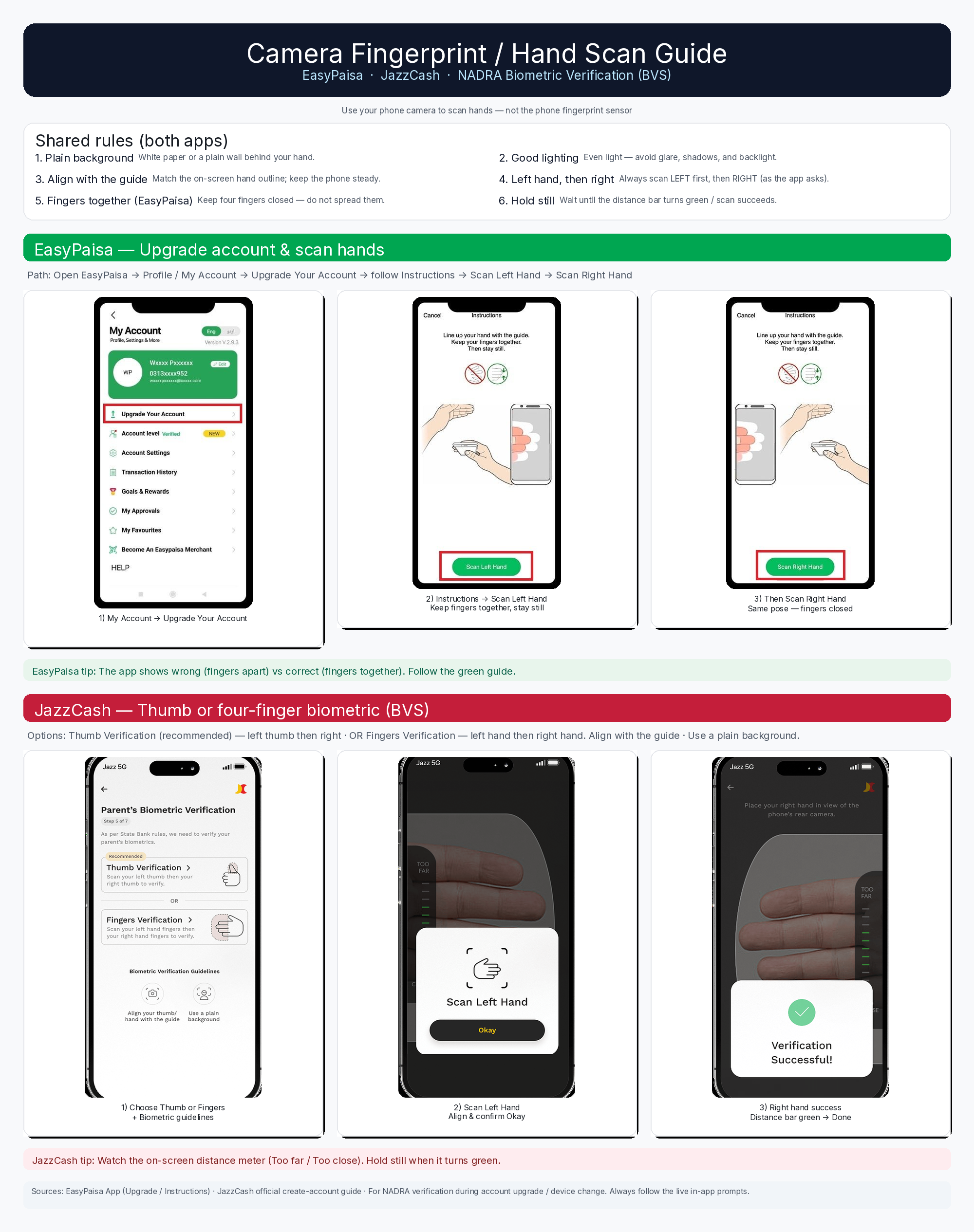 View full-size guide ↗
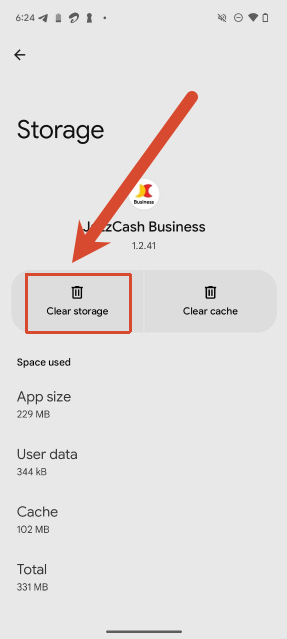
Select a wallet below. JazzCash Business: App info → Storage → Clear storage. Follow the three steps below.
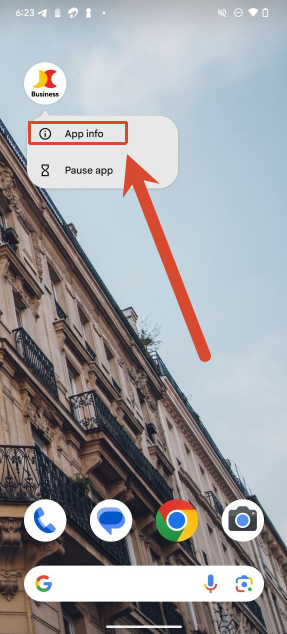
Long press the app icon
Find the JazzCash Business icon on your home screen, long press it for 2 ~ 3 seconds, then tap App info.
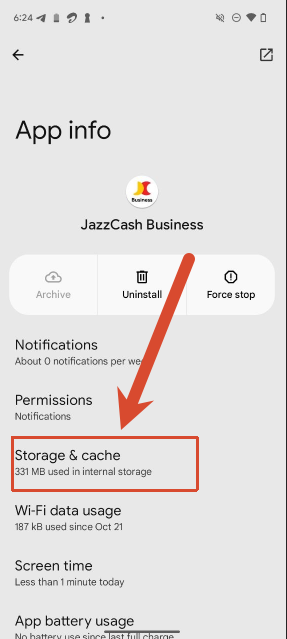
Open Storage
Inside the App info page, tap Storage & cache (on some phones it is shown as Storage).
Clear storage
On the storage page you will see two buttons. Tap Clear storage.